How Can We Help?
-
Screens and Divisions
-
Scenes
-
Media Adnet
-
Files and Resources
-
Campaigns
- Building a Campaign
- Campaign - User Interface
- Campaign Scheduler
- Campaigns - Timeline and Channel
- Campaigns and Station
- Campaigns and Timelines
- Campaigns Panel
- Common Channels
- Deleting a Campaign
- Deleting a Timeline
- Duplicating a Campaign
- Intro to Campaign
- Kiosk Mode
- Local Channels
- Properties Panel
- Properties Panel of Campaign
- The Outputs Area
- The Timeline Channels
- The Toolbox
- Timeline
- Timeline Area of the Output
- Timeline Panel
- Timelines Panel
- Show Remaining Articles8 Collapse Articles
-
Others
< All Topics
You are here:
Print
Screen and Campaigns
Created OnAugust 13, 2020
UpdatedAugust 13, 2020
byJai
Screens are used within one or many Campaigns. Aa Campaign is a place where all presentation components and everything built, will come together.
After Screen is created, it can be used by multiple times..
In the left side of the application, just below the Navigation menu, there are additional settings for Screens. These include:
– Add
– Duplicate
– Resize
– Delete
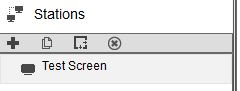
Table of Contents